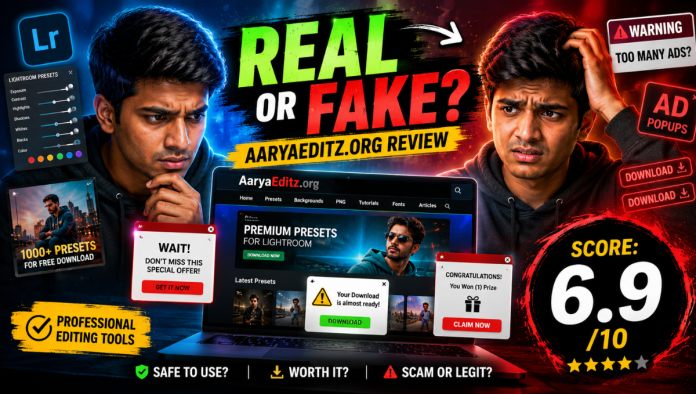
You found AaryaEditz.org through an Instagram Reel, a YouTube tutorial, or a search for “free Lightroom presets.” You land on the site. It looks like a proper editing platform. The name sounds professional. The layout feels legit. You start clicking around and then the doubts begin.
Is this a real tool? Can I actually edit here? Is this safe to download from? Why are there so many ads? Here’s the problem: every review you’ll find about AaryaEditz.org either praises it as a “complete editing solution” or dismisses it as dangerous — neither of which is accurate. The reality is more specific, more useful, and far more honest than either version.
What Is AaryaEditz.org? (The Most Important Clarity First)
Let’s settle the biggest misconception immediately because competitors either skip this or bury it in paragraph seven. AaryaEditz.org is not an editing tool. You cannot edit a photo on this website. There is no built-in editor. There is no online canvas. There is no user dashboard or account system. AaryaEditz.org is a content resource hub a blog and asset distribution platform that provides downloadable editing materials for creators who then use those assets inside other apps.
Think of it as a free digital storeroom, not a software product. You visit it to collect:
- Lightroom presets (.DNG and .XMP files) — one-tap colour grading styles
- Snapseed QR codes — instant settings transfer for Snapseed users
- PNG overlays and textures — decorative elements for composite edits
- Editing tutorials — step-by-step guides for Lightroom, PicsArt, Snapseed
- Cinematic and aesthetic style guides — trending colour tones for Instagram and Reels content
What to do now: Before you spend any more time on the site, decide which category you need. Presets? Tutorials? PNGs? Navigate directly to that section. Browsing aimlessly on AaryaEditz is where most users lose time and hit the most aggressive ads.
What AaryaEditz.org Actually Offers: Category by Category
Lightroom Presets and DNG Files
This is the site’s strongest and most-visited section.
Presets are pre-saved edit settings that apply a consistent colour grade to your photo in one tap. AaryaEditz offers them in two formats:
- .DNG format — Import into Adobe Lightroom Mobile, copy settings, paste across photos
- .XMP format — For Lightroom Desktop users on PC or Mac
The preset styles lean heavily into what’s trending on Indian Instagram moody dark tones, cinematic orange-teal grades, bright VSCO-style edits, and high-contrast black-and-white looks. The presets on AaryaEditz are not originally created by the platform in most cases. They are curated from the broader creator community and redistributed. This is common practice — but it means licensing status is unclear. Do not use these presets for paid commercial work without independently verifying you have rights to do so.
Snapseed QR Code Edits
For users who prefer Snapseed, the site offers QR codes that auto-apply editing settings when scanned within the app. It’s a genuinely useful feature one photo, five seconds, complete look applied. The styles are mobile-first and social-media optimised.
PNG Overlays, Backgrounds, and Textures
Sky replacements, light leaks, bokeh overlays, grain textures these are downloadable PNG files you layer over photos in PicsArt, Photoshop, or Lightroom. Users download PNG packs without checking resolution. Low-resolution overlays look sharp on mobile screens but pixelate when viewed on desktop or printed. Always check the listed resolution before downloading.
Editing Tutorials
Written tutorials cover beginner and intermediate techniques for Lightroom, Snapseed, and PicsArt. The writing quality is basic but functional enough to follow along for a first-time user. What’s missing here is depth. Tutorials don’t cover advanced techniques like frequency separation, luminosity masking, or colour science. For anything beyond beginner-intermediate, use YouTube or Udemy instead.
Is AaryaEditz.org Safe? The Full Trust Audit
This is the question every visitor asks and the most dishonestly answered question in competing reviews. Here is the actual picture:
What Independent Trust Scores Show
Read Also:– Kolkata Fatafat Arcarrierpoint.net Review: Is It Safe, Real or Just Random Numbers?
What This Means Practically
The site is not a phishing site. It is not stealing your data. It is not installing malware on your device from page load alone.
But it does carry real risks you should understand:
- Ad quality is uncontrolled — Third-party ad networks serve ads that may redirect aggressively on mobile. Some of these ads may lead to deceptive download pages
- Download links vary in quality — Some assets are hosted on clean direct-download links. Others route through link shorteners, multiple redirects, or third-party file hosts
- No owner verification — Hidden WHOIS means there is no accountable person or company behind the domain if something goes wrong
- Asset licensing is unclear — Downloaded presets and PNGs may include materials from other creators without proper attribution
Follow these four rules every time you use AaryaEditz:
- Use a browser with pop-up blocking enabled (Chrome or Firefox with uBlock Origin)
- Never download an
.apkfile from any link on the site those are not presets - Use Google Drive or direct links for downloads skip link shorteners
- Scan any downloaded ZIP or archive file with your phone’s security app before extracting
What People Think vs. Reality
How to Get Real Value from AaryaEditz.org
If you decide the site fits your needs, here is exactly how to use it without wasting time or taking unnecessary risks:
For preset downloads:
- Go directly to the Lightroom Presets or DNG section
- Choose a style that matches your content aesthetic don’t download everything
- Import the DNG into Lightroom Mobile → tap the three dots → “Copy Settings”
- Paste those settings on your target photos
- Adjust exposure and white balance manually for each photo no preset works perfectly straight out of the file
For Snapseed QR edits:
- Open the article with the QR code
- Open Snapseed → tap the three dots → “QR Look” → scan
- Apply and adjust intensity using the tool
For PNG overlays:
- Import the PNG into PicsArt, Photoshop, or Lightroom
- Set blend mode to “Screen” or “Lighten” to remove the black background
- Adjust opacity between 20–50% for natural results
AaryaEditz.org vs. Better Alternatives
For creators who want more reliability, these alternatives offer cleaner experiences:
| Need | AaryaEditz.org | Better Alternative |
|---|---|---|
| Free Lightroom presets | Available | Preset Love, RNI Films (free tier) |
| PNG overlays | Available | Unsplash, Freepik (free tier) |
| Editing tutorials | Basic | Peter McKinnon (YouTube), PiXimperfect |
| Commercial-ready assets | Unclear licensing | Adobe Stock, Envato Elements |
| Safe, verified downloads | Ad-heavy, hidden ownership | FilterGrade, Creative Market |
| Mobile editing app | Not a tool | Adobe Lightroom Mobile, Snapseed, CapCut |
Read Also:- Cloudelder Com Review: What It Is, Safety & Full Truth
Who Should Use AaryaEditz.org (And Who Shouldn’t)
Right for you if:
- You’re a beginner content creator building your first Instagram aesthetic and need free starting presets
- You edit casually for personal posts and don’t need commercial licensing
- You’re experimenting with editing styles before committing to paid preset packs
- You already know how to navigate ad-heavy mobile sites safely
Skip it if:
- You’re editing for clients, brands, or paid commercial work — licensing risk is too high
- You’re a professional photographer — the preset quality and site credibility don’t meet professional standards
- You want a software tool that lets you edit within a browser or app
- You’re on a device without ad-blocking — the ad experience degrades significantly on unprotected mobile browsers
Original Observations
Observation 1: The gap between what AaryaEditz looks like and what it actually is may be intentional. A platform that looks like editing software gets more downloads than one that honestly calls itself “a free preset download blog.” This isn’t unique to AaryaEditz it’s a widespread pattern in the free creative assets niche. But knowing it changes how you evaluate everything you encounter on the site.
Observation 2: AaryaEditz’s real value is as a trend accelerator not a skill builder. Using its presets gets you to “aesthetically acceptable” faster. But it also means your content looks like thousands of other accounts using the same presets. The creators who actually grow on Instagram combine tools like this with a developed personal style. The preset is a starting point, not a destination.
Observation 3: The hidden WHOIS registration and ScamAdviser flag shouldn’t automatically disqualify the site many legitimate small Indian creator blogs operate with the same setup. But it does mean your recourse is zero if something goes wrong. Use it with that awareness, not with blind trust.
FAQs About AaryaEditz.org
Q1: What is AaryaEditz.org?
Ans. AaryaEditz.org is a free content resource platform for mobile photo and video editors. It offers downloadable Lightroom presets, Snapseed QR codes, PNG overlays, and basic editing tutorials — but it is not an editing tool itself.
Q2: Is AaryaEditz.org safe to use?
Ans. It is safe to browse and does not contain active malware. However, it has hidden domain ownership, aggressive third-party ads, and unclear asset licensing. Use it with ad-blocking enabled and apply standard download safety practices.
Q3: Is AaryaEditz.org a scam?
Ans. No. It publishes real content and does not steal data or money. Its trust score is medium-low due to domain transparency issues — not fraudulent activity.
Q4: Can I edit photos directly on AaryaEditz.org?
Ans. No. There is no built-in editor. You download assets from the site and use them inside Lightroom, Snapseed, PicsArt, or similar apps.
Q5: Are AaryaEditz presets safe for commercial use?
Ans. Not recommended. Licensing status of most assets is unverified. For commercial or client work, use paid preset packs from licensed sources like FilterGrade or Creative Market.
Q6: Is there an official AaryaEditz app?
Ans. There is no official app on Google Play under this name. Avoid downloading any APK claiming to be an “AaryaEditz app” from unofficial sources. The website is the primary access point.
Q7: Do the presets work on all phones?
Ans. Lightroom presets require Adobe Lightroom Mobile (free version works). Snapseed QR edits require the Snapseed app. Both apps are free on Android and iOS.

