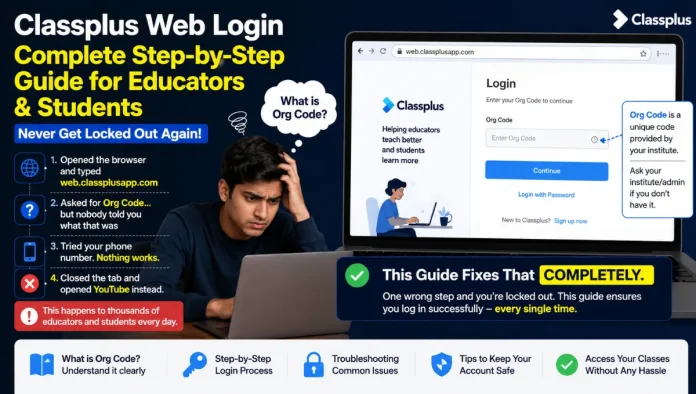
You opened your laptop, typed web.classplusapp.com, and hit Enter. Now you’re staring at a login screen asking for something called an Org Code and nobody told you what that was. You try your phone number. Nothing works. You close the tab and open YouTube instead. This happens to thousands of educators and students every single day. The Classplus web login page gives you zero guidance. One wrong step and you’re locked out.
This guide fixes that completely.
What Is Classplus Web?
Classplus web is the browser-based version of the Classplus platform. You access it at web.classplusapp.com/login no app download needed. Classplus itself is India’s most widely used coaching management platform. It lets educators run their entire teaching business online:
- Live classes
- Course selling
- Student batch management
- Online tests and assignments
- Fee collection
- Attendance tracking
- Their own branded app and website
The web version gives you access to most of these features directly from Chrome or any browser on laptop, desktop, or even a phone browser.
What most people miss: Classplus web is not a separate product. It is the same platform as the mobile app just accessed through a browser. Your data, students, courses, and batches are all synced between the app and web version in real time.
How to Login on Classplus Web Step by Step
The login URL is: web.classplusapp.com/login
Use Google Chrome for the best experience. Other browsers may have display issues.
Step 1: Enter Your Org Code
This is where most people get stuck.
What is an Org Code?
The Org Code is a unique short code assigned to your coaching institute or educator profile on Classplus. It looks something like: SPCC, vsbqz, or MAT.
Where to find your Org Code:
- Open the Classplus mobile app
- Tap the three lines (menu) at the top left corner
- Below your profile photo, your Org Code is displayed
- If you are a student, your institute will give you the Org Code it is unique to the coaching you enrolled in. Ask your teacher or check your enrollment message.
Step 2: Enter Your Mobile Number
After verifying the Org Code, enter the mobile number you registered with Classplus.
Step 3: Verify OTP
An OTP will arrive on your registered mobile number. Enter it and tap Verify. You are now logged in.
Alternative login: If you registered with an email ID, you can log in using Email + Password instead of mobile + OTP.
Pro tip: Once logged in successfully, bookmark the tab. This saves you from repeating the Org Code entry every time.
Read Also:- Structurespy Com Explained in Detail: Is It Safe, Legit or Misleading
After Login: What You See on the Dashboard
Once inside, the experience splits depending on whether you are an educator or a student.
Educator Dashboard
As an educator or institute admin, you see:
- Batches: manage all your student groups
- Courses: upload videos, notes, PDFs and organise content
- Test Portal: create, assign, and auto-check online tests
- Sessions / Live Classes: schedule and start live classes from browser
- Payments / Fees” track student payments and send receipts
- Reports: student-wise performance and attendance analytics
- Store: sell courses to students globally
- Your App: manage your branded Classplus app settings
- Website: build and manage your DIY coaching website
Student Dashboard
Students who log in via the web see:
- Their enrolled courses and video lectures
- Assigned tests and performance reports
- Batch notices and study material
- Live class schedules and recordings
- Chat with their tutor
What You Can Do on Classplus Web in 2026
Classplus has significantly expanded web capabilities. Here’s what is fully functional from the browser in 2026:
- Live Classes — start and conduct live sessions from browser with SSL security
- Course Management — upload, organise, and sell video lectures and study material
- Test Creation — build online tests, set timers, enable auto-correction
- Batch & Student Management — add students, create groups, share notices
- DIY Website Builder — build your own coaching website with a few clicks
- Branded App Management — customise your institute’s branded Classplus app from web
- Analytics & Reports — access full student performance dashboard
- Fee Management — view payments, send receipts, manage dues
- Marketing Tools — create coupons, send notifications, generate posters
Counterintuitive insight: Most educators assume the mobile app is more powerful. In reality, for content creation, batch management, and analytics, the web version is often more efficient larger screen, faster typing, easier file uploads. Use mobile for on-the-go notifications and quick student chats; use web for building and managing.
Classplus Web vs Mobile App Side-by-Side
| Feature | Classplus Web | Classplus Mobile App |
|---|---|---|
| Login method | Org Code + OTP / Email | Mobile OTP / Email |
| Live Classes | Full support | Full support |
| Course upload | Easier (PC keyboard) | Works, slightly limited |
| Test creation | Best on web | Available |
| DIY Website | Best managed on web | Limited |
| Student chat | Available | More convenient on mobile |
| Push notifications | Not applicable | Receive instantly |
| Attendance marking | Available | Faster on mobile |
| On-the-go access | Needs browser | Best for mobile use |
| Fee management | Full dashboard | Available |
The right approach: Use Classplus web for heavy work uploading courses, creating tests, managing reports. Use the mobile app for real-time tasks student messages, class alerts, quick attendance.
Common Classplus Web Login Problems and Fixes
This is where things go wrong for most users and where zero competitor articles help.
Problem 1: “Org Code invalid” error
- Fix: Double-check the Org Code. It is case-sensitive. Get it directly from your Classplus mobile app under your profile.
Problem 2: OTP not received
- Fix: Check if DND is active on your number. Wait 60 seconds and request OTP again. If still not received, try the email login option.
Problem 3: Login page not loading properly
- Fix: Clear your Chrome browser cache. Use incognito mode. Avoid Firefox or Safari for Classplus web — Chrome works best.
Problem 4: Wrong mobile number entered
- Fix: The mobile number must be the exact number registered with your Classplus account. If you changed numbers, contact your institute admin to update the record.
Problem 5: Page shows blank after OTP
- Fix: This is usually a browser extension conflict. Disable ad blockers temporarily and reload the page.
Read Also:- Infoohub org Review 2026: Is This Website Safe, Legit or Risky to Use?
Pros and Cons of Classplus Web
Pros
- Full educator dashboard accessible from any browser no install needed
- Sync with mobile app all data updated in real time
- Powerful course, test, and batch management from laptop
- DIY website builder for coaching branding
- Live classes with SSL security
- Unlimited cloud storage for content
Cons
- Org Code requirement confuses new users no in-page guidance
- Best performance only on Chrome limited cross-browser support
- Push notifications not available on web you must check manually
- Students may find the web interface less intuitive than the dedicated app
- Requires stable internet offline access not available on web version
Final Thoughts
Classplus web gives educators and students full platform access from any browser — no app download, no device restriction. The only real barrier is understanding the Org Code requirement and using the right browser. Once past that, the web dashboard is arguably more powerful than mobile for content creation, test management, and analytics.
Bookmark web.classplusapp.com/login after your first successful login. You’ll thank yourself every day.
FAQs About Classplus Web
Q1: What is the Classplus web login URL?
Ans. The URL is web.classplusapp.com/login. Open it in Google Chrome for best performance.
Q2: What is an Org Code in Classplus?
Ans. An Org Code is the unique short identifier for your coaching institute on Classplus. Find it in the Classplus mobile app under your profile (tap the three-line menu at top left). Students get their Org Code from their enrolled institute.
Q3: Can students login on Classplus web?
Ans. Yes. Students can log in at web.classplusapp.com/login using their institute’s Org Code and their registered mobile number.
Q4: Is Classplus web free?
Ans. Classplus web is part of the Classplus platform subscription. If your institute has an active Classplus plan, you can access the web version at no additional cost.
Q5: Classplus web vs app which is better?
Ans. Both are complementary. Use the web version for course creation, test building, and management tasks. Use the mobile app for real-time chats, notifications, and on-the-go teaching.

